
Hyperledger Cactus
Whitepaper
Version 0.1 (Early Draft)
 Photo by Pontus Wellgraf on Unsplash
Contributors
Contributors/Reviewers |
|
|---|---|
Hart Montgomery |
hmontgomery@us.fujitsu.com |
Hugo Borne-Pons |
hugo.borne-pons@accenture.com |
Jonathan Hamilton |
jonathan.m.hamilton@accenture.com |
Mic Bowman |
mic.bowman@intel.com |
Peter Somogyvari |
peter.somogyvari@accenture.com |
Shingo Fujimoto |
shingo_fujimoto@fujitsu.com |
Takuma Takeuchi |
takeuchi.takuma@fujitsu.com |
Tracy Kuhrt |
tracy.a.kuhrt@accenture.com |
Rafael Belchior |
rafael.belchior@tecnico.ulisboa.pt |
Document Revisions
Date of Revision |
Description of Changes Made |
|---|---|
February 2020 |
Initial draft |
1. Abstract
2. Introduction to Blockchain Interoperability
2.1 Terminology of Blockchain Interoperability
2.1.1 Ledger Object Types
2.1.2 Blockchain Interoperability Types
2.1.3 Burning or Locking of Assets
2.2 Footnotes (Introduction)
3. Example Use Cases
3.1 Car Trade
3.2 Electricity Trade
3.3 Supply chain
3.4 Ethereum to Quorum Asset Transfer
3.5 Escrowed Sale of Data for Coins
3.6 Money Exchanges
3.7 Stable Coin Pegged to Other Currency
3.7.1 With Permissionless Ledgers (BTC)
3.7.2 With Fiat Money (USD)
3.8 Healthcare Data Sharing with Access Control Lists
3.9 Integrate Existing Food Traceability Solutions
3.10 End User Wallet Authentication/Authorization
3.11 Blockchain Migration
3.11.1 Blockchain Data Migration
3.11.2 Blockchain Smart Contract Migration
3.11.3 Semi-Automatic Blockchain Migration
4. Software Design
4.1. Principles
4.1.1. Wide support
4.1.2. Plugin Architecture from all possible aspects
4.1.3. Prevent Double spending Where Possible
4.1.4 DLT Feature Inclusivity
4.1.5 Low impact
4.1.6 Transparency
4.1.7 Automated workflows
4.1.8 Default to Highest Security
4.1.9 Transaction Protocol Negotiation
4.1.10 Avoid modifying the total amount of digital assets on any blockchain whenever possible
4.1.11 Provide abstraction for common operations
4.1.12 Integration with Identity Frameworks (Moonshot)
4.2 Feature Requirements
4.2.1 New Protocol Integration
4.2.2 Proxy/Firewall/NAT Compatibility
4.2.3 Bi-directional Communications Layer
4.2.4 Consortium Management
4.3 Working Policies
5. Architecture
5.1 Deployment Scenarios
5.1.1 Production Deployment Example
5.1.2 Low Resource Deployment Example
5.2 System architecture and basic flow
5.2.1 Definition of key components in system architecture
5.2.2 Bootstrapping Cactus application
5.2.3 Processing Service API call
5.3 APIs and communication protocols between Cactus components
5.3.1 Cactus Service API
Open Endpoints
Restricted Endpoints
5.3.2 Ledger plugin API
5.3.3 Exection of “business logic” at “Business Logic Plugin”
5.4 Technical Architecture
5.4.1 Monorepo Packages
5.4.1.1 cmd-api-server
5.4.1.1.1 Runtime Configuration Parsing and Validation
5.4.1.1.2 Configuration Schema - API Server
5.4.1.1.3 Plugin Loading/Validation
5.4.1.2 core-api
5.4.1.3 API Client
5.4.1.4 keychain
5.4.1.5 tracing
5.4.1.6 audit
5.4.1.7 document-storage
5.4.1.8 relational-storage
5.4.1.9 immutable-storage
5.4.2 Deployment Diagram
5.4.3 Component Diagram
5.4.4 Class Diagram
5.4.5 Sequence Diagram - Transactions
5.5 Transaction Protocol Specification
5.5.1 Handshake Mechanism
5.5.2 Transaction Protocol Negotiation
5.6 Plugin Architecture
5.6.1 Ledger Connector Plugins
5.6.1.1 Ledger Connector Besu Plugin
5.6.1.2 Ledger Connector Fabric Plugin
5.6.1.3 Ledger Connector Quorum Plugin
5.6.2 HTLCs Plugins
5.6.2.1 HTLC-ETH-Besu Plugin
5.6.2.2 HTLC-ETH-ERC20-Besu Plugin
5.6.3 Identity Federation Plugins
5.6.3.1 X.509 Certificate Plugin
5.6.4 Key/Value Storage Plugins
5.6.5 Serverside Keychain Plugins
5.6.6 Manual Consortium Plugin
5.6.7 Test Tooling
6. Identities, Authentication, Authorization
6.1 Definition of Identities in Cactus
6.2 Transaction Signing Modes, Key Ownership
6.2.1 Client-side Transaction Signing
6.2.2 Server-side Transaction Signing
6.3 Open ID Connect Provider, Identity Provider
6.4 Server-side Keychain for Web Applications
7. Terminology
8. Related Work
9. References
10. Recommended Reference
1. Abstract
Blockchain technologies are growing in usage, but fragmentation is a big problem that may hinder reaching critical levels of adoption in the future.
We propose a protocol and it’s implementation to connect as many of them as possible in an attempt to solve the fragmentation problem by creating a heterogeneous system architecture 1.
2. Introduction to Blockchain Interoperability
There are two inherent problemsa that have to be solved when connecting different blockchains:
How to provide a proof of the networkwideb ledger state of a connected blockchain from the outside?
How can other entities verify a given proof of the state of a connected blockchain from the outside?
The Cactus consortium operates for each connected blockchain a group of validator nodes, which as a group provides the proofs of the state of the connected ledger. The group of validator nodes runs a consensus algorithm to agree on the state of the underlying blockchain. Since a proof of the state of the blockchain is produced and signed by several validator nodesc with respect to the rules of the consensus algorithm, the state of the underlying blockchain is evaluated networkwide.
The validator nodes are ledger-specific plug-ins, hence a smart contract on the connected blockchain can enable the ledger-specific functionalities necessary for a validator node to observe the ledger state to finalize a proof. The validator nodes are easier discovered from the outside than the blockchain nodes. Hence, the benefit of operating the Cactus network to enable blockchain interoperability relies on the fact that for any cross-blockchain interaction the same type of validator node signatures can be used. That means, the cross-blockchain interaction can be done canonically with the validator node signatures in Cactus rather than having to deal with many different ledger-specific types of blockchain node signatures.
Outside entities (verifier nodes) can request and register the public keys of the validator
nodes of a blockchain network that they want to connect to. Therefore, they can verify the signed proofs of the state of the blockchain since they have the public keys of the validator nodes. This implies that the verifier nodes trust the validator nodes as such they trust the Cactus consortium operating the validator nodes.

Figure description: V1, V2, and V3 are validator nodes which provide proofs of the underlying blockchain network through ledger-specific plug-ins. V1, V2, and V3 run a consensus algorithm which is independent of the consensus algorithm run by the blockchain network nodes N1, N2, N3, N4, and N5.
2.1 Terminology of Blockchain Interoperability
This section acts as a building block to describe the different flavors of blockchain interoperability. Business use cases will be built on these simple foundation blocks leveraging a mix of them simultaneously and even expanding to several blockchains interacting concurrently.
2.1.1 Ledger Object Types
To describe typical interoperability patterns between different blockchains, the types of objects stored on a ledger have to be distinguished. The following three types of objects stored on a ledger are differentiated as follows:
FA: Fungible asset (value token/coin) – cannot be duplicated on different ledgers
NFA: Non-fungible asset – cannot be duplicated on different ledgersd
D: Data – can be duplicated on different ledgers
Difference between a fungible (FA) and a non-fungible asset (NFA)
A fungible asset is an asset that can be used interchangeably with another asset of the same type, like a currency. For example, a 1 USD bill can be swapped for any other 1 USD bill. Cryptocurrencies, such as ETH (Ether) and BTC (Bitcoin), are FAs. A non-fungible asset is an asset that cannot be swapped as it is unique and has specific properties. For example, a car is a non-fungible asset as it has unique properties, such as color and price. CryptoKitties are NFAs as well. There are two standards for fungible and non-fungible assets on the Ethereum network (ERC-20 Fungible Token Standard and ERC-721 Non-Fungible Token Standard).
Difference between an asset (FA or NFA) and data (D)
Unicity applies to FAs and NFAs meaning it guarantees that only one valid representation of a given asset exists in the system. It prevents double-spending of the same token/coin in different blockchains. The same data package can have several representations on different ledgers while an asset (FA or NFA) can have only one representation active at any time, i.e., an asset exists only on one blockchain while it is locked/burned on all other blockchains. If fundamental disagreement persists in the community about the purpose or operational upgrades of a blockchain, a hard fork can split a blockchain creating two representations of the same asset to coexist. For example, Bitcoin split into Bitcoin and Bitcoin Cash in 2017. Forks are not addressing blockchain interoperability so the definition of unicity applies in a blockchain interoperability context. A data package that was once created as a copy of another data package might divert from its original one over time because different blockchains might execute different state changes on their data packages.
2.1.2 Blockchain Interoperability Types
Blockchain interoperability implementations can be classified into the following types:
Ledger transfer:
An asset gets locked/burned on one blockchain and then a representation of the same asset gets released in the other blockchaine. There are never two representations of the same asset alive at any time. Data is an exception since the same data can be transferred to several blockchains. There are one-way or two-way ledger transfers depending on whether the assets can be transferred only in one direction from a source blockchain to a destination blockchain or assets can be transferred in and out of both blockchains with no designated source blockchain and destination blockchain.
Atomic swapf:
A write transaction is performed on Blockchain A concurrently with another write transaction on blockchain B. There is no asset/data/coin leaving any blockchain environment. The two blockchain environments are isolated but, due to the blockchain interoperability implementation, both transactions are committed atomically. That means either both transactions are committed successfully or none of the transactions are committed successfully.
Ledger interactionf:
An actiong happening on Blockchain A is causing an action on Blockchain B. The state of Blockchain A causes state changes on Blockchain B. There are one-way or two-way ledger interactions depending on whether only the state of one of the blockchains can affect the state on the other blockchain or both blockchain states can affect state changes on the corresponding other blockchain.
Ledger entry point coordination:
This blockchain interoperability type concerns end-user wallet authentication/ authorization enabling read and write operations to independent ledgers from one single entry point. Any read or write transaction submitted by the client is forwarded to the corresponding blockchain and then committed/executed as if the blockchain would be operate on its own.
The ledger transfer has a high degree of interference between the blockchains since the livelihood of a blockchain can be reduced in case too many assets are locked/burned in a connected blockchain. The ledger interaction has a high degree of interference between the blockchains as well since the state of one blockchain can affect the state of another blockchain. Atomic swaps have less degree of interference between the blockchains since all assets/data stay in their respective blockchain environment. The ledger entry point coordination has no degree of interference between the blockchains since all transactions are forwarded and executed in the corresponding blockchain as if the blockchains would be operated in isolation.

Figure description: One-way ledger transfer

Figure description: Two-way ledger transfer

Figure description: Atomic swap

Figure description: Ledger interaction

Figure description: Ledger entry point coordination
Legend:
Object 1
State of object O1 at the beginning of transaction
State of object O2 at the beginning of transaction
State of object O1 at the end of transaction
State of object O2 at the end of transaction
O1end = Representation of object O1 at the end of transaction in another blockchain
O2end = Representation of object } O2 at the end of transaction in another blockchain
Transaction 1
Transaction 2
T1 = Representation of transaction 1 (T1) in another blockchain
T1 = Representation of transaction 2 (T2) in another blockchain
Event 1
Event 2 depends on O1 or T1 or E1
Transaction 2 depends on O1 or T1 or E1
2.1.3 Burning or Locking of Assets
To guarantee unicity, an asset (NFA or FA) has to be burned or locked before being transferred into another blockchain. Locked assets can be unlocked in case the asset is retransferred back to its original blockchain, whereas the burning of assets is an irreversible process. It is worth noting that locking/burning of assets is happening during a ledger transfer but can be avoided in use cases where both parties have wallets/accounts on both ledgers by using atomic swaps instead. Hence, most cryptocurrency exchange platforms rely on atomic swaps and do not burn FAs. For example, ordinary coins, such as Bitcoin or Ethereum, can only be generated by mining a block. Therefore, Bitcoin or Ethereum exchanges have to rely on atomic swaps rather than two-way ledger transfers because it is not possible to create BTC or ETH on the fly. In contrast, if the minting process of an FA token can be leveraged on during a ledger transfer, burning/locking of an asset becomes a possible implementation option, such as in the ETH token ledger transfer from the old PoW chain (Ethereum 1.0) to the PoS chain (aka Beacon Chain in Ethereum 2.0). Burning of assets usually applies more to tokens/coins (FAs) and can be seen as a donation to the community since the overall value of the cryptocurrency increases.
Burning of assets can be implemented as follows:
Assets are sent to the address of the coinbase/generation transactionh in the genesis block. A coinbase/generation transaction is in every block of blockchains that rely on mining. It is the address where the reward for mining the block is sent to. Hence, this will burn the tokens/coins in the address of the miner that mined the genesis block. In many blockchain platforms, it is proven that nobody has the private key to this special address.
Tokens/Coins are subtracted from the user account as well as optionally from the total token/coin supply value.
2.2 Footnotes (Introduction)
a: There is an alternative approach for an outside entity A to verify the state of a connected blockchain if this connected blockchain uses Merkle Trees to store its blockchain state. An outside entity A can store the Merkle Tree roots from the headers of committed blocks of a connected blockchain locally to verify any state claims about the connected blockchain. Any untrusted entity can then provide a state of the connected blockchain, such as a specific account balance on the connected blockchain, because the outside entity A can act as a lightweight client and use concepts like simple payment verification (SPV) to verify that the state claim provided by the untrusted entity is valid. SPV can be done without checking the entire blockchain history. Polkadot uses this approach in its Relay Chain and the BTCRelay on the Ethereum blockchain uses this approach as well. Private blockchains do not always keep track of their state through Merkel trees and signatures produced by nodes participating in such private blockchains are rarely understood by outside parties not participating in the network. For that reason, the design principle of Cactus is to rely on the canonical validator node signatures for verifying proofs of blockchain states. Since Cactus should be able to incorporate any type of blockchain in the future, Cactus can not use the approach based on Merkle Trees.
b: A networkwide ledger view means that all network nodes have to be considered to derive the state of the blockchain which means that it is not the state of just one single blockchain node.
c: The validator nodes in Cactus have similarities with trusted third-party intermediaries. The terminology trusted third-party intermediaries, federation schemes, and notary schemes are used when a blockchain can retrieve the state of another blockchain through these intermediaries. In contrast, the terminology relay is used when a chain can retrieve the state of another blockchain through reading, writing, or event listening operations directly rather than relying on intermediaries. This terminology is used in the central Relay Chain in Polkadot and the BTCRelay on the Ethereum network.
d: There might be use cases where it is desired to duplicate an NFA on different ledgers. Nonetheless, we stick to the terminology that an NFA cannot be duplicated on a different ledger because an NFA can be represented as data packages on different ledgers in such cases. Data is a superset of NFAs.
e: In the case of data, the data can be copied from Blockchain A to Blockchain B. It is optional to lock/burn/delete the data object on Blockchain A after copying.
f: The process in Blockchain A and the process in Blockchain B can be seen to happen concurrently, and consecutively, in atomic swaps, and ledger interactions, respectively.
g: An action can be either a read transaction or a write transaction performed on Blockchain A or an event that is emitted by Blockchain A. Some examples of that type of ledger interoperability are as follows:
Cross-chain oracles which are smart contracts that read the state of another blockchain before acting on it.
Smart contracts that wait until an event happens on another blockchain before acting on it.
Asset encumbrance smart contracts which are smart contracts that lock up assets on Blockchain A with unlocking conditions depending on actions happening in Blockchain B.
h: Alternatively, any address from that assets cannot be recovered anymore can be used. A verifiable proof for the irreversible property of that address should be given.
3. Example Use Cases
Specific use cases that we intend to support. The core idea is to support as many use-cases as possible by enabling interoperability between a large variety of ledgers specific to certain mainstream or exotic use cases.
The following table summarizes the use cases that will be explained in more detail in the following sections. FA, NFA, and D denote a fungible asset, a non-fungible asset, and data, respectively.
| Object type of Blockchain A | Object type of Blockchain B | Ledger transfer | Atomic swap | Ledger interaction | Ledger entry point coordination | ||
|---|---|---|---|---|---|---|---|
| One-way | Two-way | One-way | Two-way | ||||
| D | D | 3.8 3.11 | 3.8 3.9 | - | - | - | 3.10 |
| FA | FA | 3.4 | 3.7 | 3.6 | 3.6 | 3.6 | |
| NFA | NFA | - | - | - | - | - | |
| FA | D | - | - | 3.5 | - | - | |
| D | FA | - | - | ||||
| NFA | D | - | - | - | - | - | |
| D | NFA | - | - | ||||
| FA | NFA | - | - | - | - | - | |
| NFA | FA | - | - | ||||
3.1 Car Trade
Use Case Attribute Name |
Use Case Attribute Value |
|---|---|
Use Case Title |
Car Trade |
Use Case |
TBD |
Interworking patterns |
TBD |
Type of Social Interaction |
TBD |
Narrative |
TBD |
Actors |
TBD |
Goals of Actors |
TBD |
Success Scenario |
TBD |
Success Criteria |
TBD |
Failure Criteria |
TBD |
Prerequisites |
TBD |
Comments |
3.2 Electricity Trade
Use Case Attribute Name |
Use Case Attribute Value |
|---|---|
Use Case Title |
Electricity Trade |
Use Case |
TBD |
Interworking patterns |
TBD |
Type of Social Interaction |
TBD |
Narrative |
TBD |
Actors |
TBD |
Goals of Actors |
TBD |
Success Scenario |
TBD |
Success Criteria |
TBD |
Failure Criteria |
TBD |
Prerequisites |
TBD |
Comments |
3.3 Supply chain
Use Case Attribute Name |
Use Case Attribute Value |
|---|---|
Use Case Title |
Supply Chain |
Use Case |
TBD |
Interworking patterns |
TBD |
Type of Social Interaction |
TBD |
Narrative |
TBD |
Actors |
TBD |
Goals of Actors |
TBD |
Success Scenario |
TBD |
Success Criteria |
TBD |
Failure Criteria |
TBD |
Prerequisites |
TBD |
Comments |
3.4 Ethereum to Quorum Asset Transfer
Use Case Attribute Name |
Use Case Attribute Value |
|---|---|
Use Case Title |
Ethereum to Quorum Escrowed Asset Transfer |
Use Case |
1. |
Interworking patterns |
Value transfer |
Type of Social Interaction |
Escrowed Asset Transfer |
Narrative |
A person ( |
Actors |
1. |
Goals of Actors |
|
Success Scenario |
Transfer succeeds without issues. Asset is available on both Ethereum and Quorum ledgers. |
Success Criteria |
Transfer asset on Quorum was successed. |
Failure Criteria |
Transfer asset on Quorum was failed. |
Prerequisites |
1. Ledgers are provisioned |
Comments |

3.5 Escrowed Sale of Data for Coins
W3C Use Case Attribute Name |
W3C Use Case Attribute Value |
|---|---|
Use Case Title |
Escrowed Sale of Data for Coins |
Use Case |
1. |
Type of Social Interaction |
Peer to Peer Exchange |
Narrative |
Data in this context is any series of bits stored on a computer: |
Actors |
1. |
Goals of Actors |
|
Success Scenario |
Both parties have signaled to proceed with escrow and the swap happened as specified in advance. |
Success Criteria |
|
Failure Criteria |
Either party did not hold up their end of the exchange/trace. |
Prerequisites |
|
Comments |
Hyperledger Private Data: https://hyperledger-fabric.readthedocs.io/en/release-1.4/private_data_tutorial.html |
3.6 Money Exchanges
Enabling the trading of fiat and virtual currencies in any permutation of possible pairs.
On the technical level, this use case is the same as the one above and therefore the specific details were omitted.
3.7 Stable Coin Pegged to Other Currency
W3C Use Case Attribute Name |
W3C Use Case Attribute Value |
|---|---|
Use Case Title |
Stable Coin Pegged to Other Currency |
Use Case |
1. |
Type of Social Interaction |
Software Implementation Project |
Narrative |
Someone launches a highly scalable ledger with their own coin called ExampleCoin that can consistently sustain throughput levels of a million transactions per second reliably, but they struggle with adoption because nobody wants to buy into their coin fearing that it will lose its value. They choose to put in place a two-way peg with Bitcoin which guarantees to holders of their coin that it can always be redeemed for a fixed number of Bitcoins/USDs. |
Actors |
|
Goals of Actors |
1. Achieve credibility for their currency by backing funds. |
Success Scenario |
|
Success Criteria |
Success scenario was achieved without significant extra development effort apart from creating the Hyperledger Cactus plugins. |
Failure Criteria |
Implementation complexity was high enough that it would’ve been easier to write something from scratch without the framework |
Prerequisites |
* Operational ledger and currency |
Comments |
Sequence diagram omitted as use case does not pertain to end users of Hyperledger Cactus itself.
3.7.1 With Permissionless Ledgers (BTC)
A BTC holder can exchange their BTC for ExampleCoins by sending their BTC to ExampleCoin Reserve Wallet and the equivalent amount of coins get minted for them
onto their ExampleCoin wallet on the other network.
An ExampleCoin holder can redeem their funds to BTC by receiving a Proof of Burn on the ExampleCoin ledger and getting sent the matching amount of BTC from the ExampleCoin Reserve Wallet to their BTC wallet.
3.7.2 With Fiat Money (USD)
Very similar idea as with pegging against BTC, but the BTC wallet used for reserves gets replaced by a traditional bank account holding USD.
3.8 Healthcare Data Sharing with Access Control Lists
W3C Use Case Attribute Name |
W3C Use Case Attribute Value |
|---|---|
Use Case Title |
Healthcare Data Sharing with Access Control Lists |
Use Case |
1. |
Type of Social Interaction |
Peer to Peer Data Sharing |
Narrative |
Let’s say that two healthcare providers have both implemented their own blockchain based patient data management systems and are looking to integrate with each other to provide patients with a seamless experience when being directed from one to another for certain treatments. The user is in control over their data on both platforms separately and with a Hyperledger Cactus backed integration they could also define fine grained access control lists consenting to the two healthcare providers to access each other’s data that they collected about the patient. |
Actors |
* |
Goals of Actors |
* |
Success Scenario |
|
Success Criteria |
There’s cryptographic proof for the integrity of the data. Data hasn’t been compromised during the sharing process, e.g. other actors did not gain unauthorized access to the data by accident or through malicious actions. |
Failure Criteria |
|
Prerequisites |
|
Comments |
It makes most sense for best privacy if |
3.9 Integrate Existing Food Traceability Solutions
W3C Use Case Attribute Name |
W3C Use Case Attribute Value |
|---|---|
Use Case Title |
Food Traceability Integration |
Use Case |
1. |
Type of Social Interaction |
Software Implementation Project |
Narrative |
Both |
Actors |
|
Goals of Actors |
|
Success Scenario |
|
Success Criteria |
|
Failure Criteria |
|
Prerequisites |
1. |
Comments |
3.10 End User Wallet Authentication/Authorization
W3C Use Case Attribute Name |
W3C Use Case Attribute Value |
|---|---|
Use Case Title |
Wallet Authentication/Authorization |
Use Case |
1. |
Type of Social Interaction |
Identity Management |
Narrative |
End user facing applications can provide a seamless experience connecting multiple permissioned (or permissionless) networks for an end user who has a set of different identity proofs for wallets on different ledgers. |
Actors |
|
Goals of Actors |
|
Success Scenario |
|
Success Criteria |
|
Failure Criteria |
|
Prerequisites |
1. |
Comments |

3.11 Blockchain Migration
Use Case Attribute Name |
Use Case Attribute Value |
|---|---|
Use Case Title |
Blockchain Migration |
Use Case |
1. |
Interworking patterns |
Value transfer, Data transfer |
Type of Social Interaction |
Asset and Data Transfer |
Narrative |
A group of members ( |
Actors |
1. |
Goals of Actors |
1. |
Success Scenario |
Asset and data (including smart contracts) are available on the target blockchain, enabling |
Success Criteria |
Migration starts at a set time, and all desired assets and data, as well as their histroy have been migrated in a decentralized way. |
Failure Criteria |
States of all assets and data on the target blockchain do not match the states on the source blockchain before migration, e.g., when transactions replayed on target blockchain are reordered. |
inability to recreate the same smart contract logic, inability to arbitrary recreate native assets on target blockchain, and lack of access to private keys of external accounts. |
|
Prerequisites |
1. |
Comments |
* |
Motivation
The suitability of a blockchain platform regarding a use case depends on the underlying blockchain properties. As blockchain technologies are maturing at a fast pace, in particular private blockchains, its properties such as performance (i.e., throughput, latency, or finality), transaction fees, and privacy might change. Also, blockchain platform changes, bug fixes, security, and governance issues may render an existing application/service suboptimal. Further, business objectives such as the interest to launch own blockchain instance, partnerships, mergers, and acquisitions may motivate a migration. Consequently, this creates an imbalance between the user expectations and the applicability of the existing solution. It is, therefore, desirable for an organization/consortium to be able to replace the blockchain providing the infrastructure to a particular application/service.
Currently, when a consortium wants to migrate the entire blockchain or user wants to migrate a DApp on a public blockchain (e.g., the source blockchain became obsolete, cryptographic algorithms are no longer secure, and business reasons), the solution is to re-implement business logic using a different blockchain platform, and arbitrary recreate the assets and data on the target blockchain, yielding great effort and time, as well as losing blockchain properties such as immutability, consistency, and transparency. Data migrations have been performed before on public blockchains [2, 3, 4] to render flexibility to blockchain-based solutions. Such work proposes data migration capabilities and patterns for public, permissionless blockchains, in which a user can specify requirements and scope for the blockchain infrastructure supporting their service.
3.11.1 Blockchain Data Migration
Data migration corresponds to capturing the subset of assets and data on a source blockchain and constructing a representation of those in a target blockchain. Note that the models underlying both blockchains do not need to be the same (e.g., world state model in Hyperledger Fabric vs account-balance model in Ethereum). For migration to be effective, it should be possible to capture the necessary assets and data from the source blockchain and to write them on the target blockchain.

3.11.2 Blockchain Smart Contract Migration
The task of migrating a smart contract comprises the task of migrating the smart contract logic and data embedded in it. In specific, the data should be accessible and writeable on another blockchain. When the target blockchain can execute a smart contract written for the source blockchain, execution behaviour can be preserved by redeploying the same smart contract (e.g., reusing a smart contract written for Ethereum on Hyperldger Besu) and recreating its assets and data. If code reuse is not possible (either at source or binary code level), the target blockchain’s virtual machine should support the computational complexity of the source blockchain (e.g., one cannot migrate all Ethereum smart contracts to Bitcoin, but the other way around is feasible). Automatic smart contract migration (with or without translation) yields risks for enterprise blockchain systems, and thus the solution is nontrivial [4].
3.11.3 Semi-Automatic Blockchain Migration
By expressing a user’s preferences in terms of functional and non-functional requirements, Cactus can recommend a set of suitable blockchains, as the target for the migration.
Firstly, a user could know in real-time the characteristics of the target blockchain that would influence the migration decision. For instance, the platform can analyze the cost of writing data to Ethereum, Ether:USD exchange rate, average inter-block time, transaction throughput, and network hash rate [3].
Based on those characteristics and user-defined requirements, Cactus proposes a migration with indicators such as predicted cost, time to complete the migration, and the likelihood of success.
For example, when transaction inclusion time or fee on Ethereum exceeds a threshold, Cactus may choose Polkadot platform, as it yields lower transaction inclusion time or fee. Cactus then safely migrate assets, data, and future transactions from Ethereum to Polkadot, without compromising the solution in production.
This feature is more useful for public blockchains.
4. Software Design
4.1. Principles
4.1.1. Wide support
Interconnect as many ecosystems as possible regardless of technology limitations
4.1.2. Plugin Architecture from all possible aspects
Identities, DLTs, service discovery. Minimize how opinionated we are to really embrace interoperability rather than silos and lock-in. Closely monitor community feedback/PRs to determine points of contention where core Hyperledger Cactus code could be lifted into plugins. Limit friction to adding future use cases and protocols.
4.1.3. Prevent Double spending Where Possible
Two representations of the same asset do not exist across the ecosystems at the same time unless clearly labelled as such [As of Oct 30 limited to specific combinations of DLTs; e.g. not yet possible with Fabric + Bitcoin]
4.1.4 DLT Feature Inclusivity
Each DLT has certain unique features that are partially or completely missing from other DLTs. Hyperledger Cactus - where possible - should be designed in a way so that these unique features are accessible even when interacting with a DLT through Hyperledger Cactus. A good example of this principle in practice would be Kubernetes CRDs and operators that allow the community to extend the Kubernetes core APIs in a reusable way.
4.1.5 Low impact
Interoperability does not redefine ecosystems but adapts to them. Governance, trust model and workflows are preserved in each ecosystem Trust model and consensus must be a mandatory part of the protocol handshake so that any possible incompatibilities are revealed up front and in a transparent way and both parties can “walk away” without unintended loss of assets/data. The idea comes from how the traditional online payment processing APIs allow merchants to specify the acceptable level of guarantees before the transaction can be finalized (e.g. need pin, signed receipt, etc.). Following the same logic, we shall allow transacting parties to specify what sort of consensus, transaction finality, they require. Consensus requirements must support predicates, e.g. “I am on Fabric, but will accept Bitcoin so long X number of blocks were confirmed post-transaction” Requiring KYC (Know Your Customer) compliance could also be added to help foster adoption as much as possible.
4.1.6 Transparency
Cross-ecosystem transfer participants are made aware of the local and global implications of the transfer. Rejection and errors are communicated in a timely fashion to all participants. Such transparency should be visible as trustworthy evidence.
4.1.7 Automated workflows
Logic exists in each ecosystem to enable complex interoperability use-cases. Cross-ecosystem transfers can be automatically triggered in response to a previous one. Automated procedure, which is regarding error recovery and exception handling, should be executed without any interruption.
4.1.8 Default to Highest Security
Support less secure options, but strictly as opt-in, never opt-out.
4.1.9 Transaction Protocol Negotiation
Participants in the transaction must have a handshake mechanism where they agree on one of the supported protocols to use to execute the transaction. The algorithm looks an intersection in the list of supported algorithms by the participants.
4.1.10 Avoid modifying the total amount of digital assets on any blockchain whenever possible
We believe that increasing or decreasing the total amount of digital assets might weaken the security of blockchain, since adding or deleting assets will be complicated. Instead, intermediate entities (e.g. exchanger) can pool and/or send the transfer.
4.1.11 Provide abstraction for common operations
Our communal modularity should extend to common mechanisms to operate and/or observe transactions on blockchains.
4.1.12 Integration with Identity Frameworks (Moonshot)
Do not expend opinions on identity frameworks just allow users of Cactus to leverage the most common ones and allow for future expansion of the list of supported identity frameworks through the plugin architecture.
Allow consumers of Cactus to perform authentication, authorization and reading/writing of credentials.
Identity Frameworks to support/consider initially:
4.2 Feature Requirements
4.2.1 New Protocol Integration
Adding new protocols must be possible as part of the plugin architecture allowing the community to propose, develop, test and release their own implementations at will.
4.2.2 Proxy/Firewall/NAT Compatibility
Means for establishing bidirectional communication channels through proxies/firewalls/NAT wherever possible
4.2.3 Bi-directional Communications Layer
Using a blockchain agnostic bidirectional communication channel for controlling and monitoring transactions on blockchains through proxies/firewalls/NAT wherever possible.
Blockchains vary on their P2P communication protocols. It is better to build a modular method for sending/receiving generic transactions between trustworthy entities on blockchains.
4.2.4 Consortium Management
Consortiums can be formed by cooperating entities (person, organization, etc.) who wish to contribute hardware/network
resources to the operation of a Cactus cluster.
What holds the consortiums together is the consensus among the members on who the members are, which is defined by the nodes’ network hosts and public keys. The keys are produced from the Secp256k1 curve.
The consortium plugin(s) main responsibility is to provide information about the consortium’s members, nodes and public keys.
Cactus does not prescribe any specific consensus algorithm for the addition or removal of consortium members, but
rather focuses on the technical side of making it possible to operate a cluster of nodes under the ownership of
separate entities without downtime while also keeping it possible to add/remove members.
It is up to authors of plugins who can implement any kind of consortium management functionality as they see fit.
The default implementation that Cactus ships with is in the cactus-plugin-consortium-manual package which - as the
name implies - leaves the achievement of consensus to the initial set of members who are expected to produce the initial
set of network hosts/public keys and then configure their Cactus nodes accordingly.
This process and the details of operation are laid out in much more detail in the dedicated section of the manual
consortium management plugin further below in this document.
After the forming of the consortium with it’s initial set of members (one or more) it is possible to enroll or remove certain new or existing members, but this can vary based on different implementations.
4.3 Working Policies
Participants can insist on a specific protocol by pretending that they only support said protocol only.
Protocols can be versioned as the specifications mature
The two initially supported protocols shall be the ones that can satisfy the requirements for Fujitsu’s and Accenture’s implementations respectively
5. Architecture
5.1 Deployment Scenarios
Hyperledger Cactus has several integration patterns as the following.
Note: In the following description, Value (V) means numerical assets (e.g. money). Data (D) means non-numerical assets (e.g. ownership proof). Ledger 1 is source ledger, Ledger 2 is destination ledger.
No. |
Name |
Pattern |
Consistency |
|---|---|---|---|
1. |
value transfer |
V -> V |
check if V1 = V2 |
2. |
value-data transfer |
V -> D |
check if data transfer is successful when value is transferred |
3. |
data-value transfer |
D -> V |
check if value transfer is successful when data is transferred |
4. |
data transfer |
D -> D |
check if all D1 is copied on ledger 2 |
5. |
data merge |
D <-> D |
check if D1 = D2 as a result |
There’s a set of building blocks (members, nodes, API server processes, plugin instances) that you can use when defining (founding) a consortium and these building blocks relate to each other in a way that can be expressed with an entity relationship diagram which can be seen below. The composability rules can be deducted from how the diagram elements (entities) are connected (related) to each other, e.g. the API server process can have any number of plugin instances in it and a node can contain any number of API server processes, and so on until the top level construct is reached: the consortium.
Consortium management does not relate to achieving consensus on data/transactions involving individual ledgers, merely about consensus on the metadata of a consortium.

Now, with these composability rules in mind, let us demonstrate a few different deployment scenarios (both expected and exotic ones) to showcase the framework’s flexibility in this regard.
5.1.1 Production Deployment Example
Many different configurations are possible here as well. One way to have two members form a consortium and both of those members provide highly available, high throughput services is to have a deployment as shown on the below figure. What is important to note here is that this consortium has 2 nodes, 1 for each member and it is irrelevant how many API servers those nodes have internally because they all respond to requests through the network host/web domain that is tied to the node. One could say that API servers do not have a distinguishable identity relative to their peer API servers, only the higher-level nodes do.

5.1.2 Low Resource Deployment Example
This is an example to showcase how you can pull up a full consortium even from within a single operating system process (API server) with multiple members and their respective nodes. It is not something that’s recommended for a production grade environment, ever, but it is great for demos and integration tests where you have to simulate a fully functioning consortium with as little hardware footprint as possible to save on time and cost.
The individual nodes/API servers are isolated by listening on seperate TCP ports of the machine they are hosted on:

5.2 System architecture and basic flow
Hyperledger Cactus will provide integrated service(s) by executing ledger operations across multiple blockchain ledgers. The execution of operations are controlled by the module of Hyperledger Cactus which will be provided by vendors as the single Hyperledger Cactus Business Logic plugin. The supported blockchain platforms by Hyperledger Cactus can be added by implementing new Hyperledger Cactus Ledger plugin. Once an API call to Hyperledger Cactus framework is requested by a User, Business Logic plugin determines which ledger operations should be executed, and it ensures reliability on the issued integrated service is completed as expected. Following diagram shows the architecture of Hyperledger Cactus based on the discussion made at Hyperledger Cactus project calls. The overall architecture is as the following figure.

5.2.1 Definition of key components in system architecture
Key components are defined as follows:
Business Logic Plugin: The entity executes business logic and provide integration services that are connected with multiple blockchains. The entity is composed by web application or smart contract on a blockchain. The entity is a single plugin and required for executing Hyperledger Cactus applications.
CACTUS Node Server: The server accepts a request from an End-user Application, and return a response depending on the status of the targeted trade. Trade ID will be assigned when a new trade is accepted.
End-user Application: The entity submits API calls to request a trade, which invokes a set of transactions on Ledger by the Business Logic Plugin.
Ledger Event Listener: The standard interface to handle various kinds of events(LedgerEvent) regarding asynchronous Ledger operations. The LedgerEvent will be notified to appropriate business logic to handle it.
Ledger Plugin: The entity communicates Business Logic Plugin with each ledger. The entity is composed by a validator and a verifier as follows. The entity(s) is(are) chosen from multiple plugins on configuration.
Service Provider Application: The entity submits API calls to control the cmd-api-server when it is enabling/disabling Ledger plugins, or shutting down the server. Additional commands may be available on Admin API since Server controller is implementation-dependent.
Validator: The entity monitors transaction records of Ledger operation, and it determines the result(success, failed, timeouted) from the transaction records. Validator ensure the determined result with attaching digital signature with “Validator key” which can be verified by “Verifier”.
Validator Server: The server accepts a connection from Verifier, and it provides Validator API, which can be used for issuing signed transactions and monitoring Ledger behind it. The LedgerConnector will be implemented for interacting with the Ledger nodes.
Verifier: The entity accepts only sucussfully verified operation results by verifying the digital signature of the validator. Verifier will be instantiated by calling the VerifierFactory#create method with associated with the Validator to connect. Each Verifier may be temporarily enabled or disabled. Note that “Validator” is apart from “Verifier” over a bi-directional channel.
Verifier Registry: The information about active Verifier. The VerifierFactory uses this information to instantiate Verifier for the Business Logic Plugin.
5.2.2 Bootstrapping Cactus application
Key components defined in 4.2.1 becomes ready to serve Cactus application service after following procedures:
Start
Validator: TheValidatorofLedger Pluginwhich is chosen for eachLedgerdepending the platform technology used (ex. Fabric, Besu, etc.) will be started by the administrator ofValidator.Validatorbecomes ready status to accept connection fromVerifierafter initialization process is done.Start
Business Logic Pluginimplementation: The administrator of Cactus application service startsBusiness Logic Pluginwhich is implemented to execute business logic(s).Business Logic Pluginimplementation first checks availability of dependedLedger Plugin(s), then it trys to enable eachLedger Pluginwith customized profile for actual integratingLedger. This availability checks also covers determination on the status of connectivity fromVerifiertoValidator. The availability of eachLedgeris registered and maintained atCactus Routing Interface, and it allows bi-directional message communication betweenBusiness Logic PluginandLedger.
5.2.3 Processing Service API call
Service API call is processed as follows:
Step 1: “Application user(s)” submits an API call to “Cactus routing interface”.
Step 2: The API call is internally routed to “Business Logic Plugin” by “Cactus Routing Interface” for initiating associated business logic. Then, “Business Logic Plugin” determines required ledger operation(s) to complete or abort a business logic.
Step 3” “Business Logic Plugin” submits API calls to request operations on “Ledger(s)” wrapped with “Ledger Plugin(s)”. Each API call will be routed to designated “Ledger Plugin” by “Routing Interface”.
Step 4: “Ledger Plugin” sends an event notification to “Business Logic Plugin” via “Cactus Routing Interface”, when its sub-component “Verifier” detect an event regarding requested ledger operation to “Ledger”.
Step 5: “Business Logic Plugin” receives a message from “Ledger Plugin” and determines completion or continuous of the business logic. When the business logic requires to continuous operations go to “Step 3” ,or end the process.
5.3 APIs and communication protocols between Cactus components
API for Service Application, communication protocol for business logic plugin to interact with “Ledger Plugins” will be described in this section.
5.3.1 Cactus Service API
Cactus Service API is exposed to Application user(s). This API is used to request for initializing a business logic which is implemented at Business Logic Plugin. It is also used for making inquery of execution status and final result if the business logic is completed.
Following RESTful API design manner, the request can be mapped to one of CRUD operation with associated resource ‘trade’.
The identity of User Application is authenticated and is applied for access control rule(s) check which is implemented as part of Business Logic Plugin.
NOTE: we are still open to consider other choose on API design patterns, such as gRPC or GraphQL.
Open Endpoints
Open endpoints require no authentication
Login :
POST /api/v1/bl/login
Restricted Endpoints
Restricted endpoints requre a valid Token to be included in the headder of the request. A Token can be acquired by calling Login.
Request Execution of Trade(instance of business logic) :
POST /api/v1/bl/trades/Show Current Status of Trade :
GET /api/v1/bl/trades/(id)Show Business Logics :
GET /api/v1/bl/logics/Show Specification of Business Logic :
GET /api/v1/bl/logics/(id)Register a Wallet :
POST /api/v1/bl/wallets/Show Wallet List :
GET /api/v1/bl/wallets/Update Existing Wallets :
PUT /api/v1/bl/wallets/(id)Delete a Wallet :
DELETE /api/v1/bl/walllets/(id)
NOTE: resource trade and logic are cannot be updated nor delete
5.3.2 Ledger plugin API
Ledger plugin API is designed for allowing Business Logic Plugin to operate and/or monitor Ledger behind the components of Verifier and Validator.
Validator provides a common set of functions that abstract communication between Verifier and Ledger. Please note that Validator will not have any privilege to manipulate assets on the Ledger behind it. Verifier can receive requests from Business Logic Plugin and reply responses and events asynchronously.
APIs of Verifier and Validator are described as the following table:
No. |
Component |
API Name |
Input |
Description |
|---|---|---|---|---|
1. |
Verifier |
sendAsyncRequest |
|
Sends an asynchronous request to the validator |
2. |
Verifier |
sendSyncRequest |
|
Sends a synchronous request to the validator |
3. |
Verifier |
startMonitor |
|
Request a verifier to start monitoring ledger |
4. |
Verifier |
stopMonitor |
|
Request a verifier to stop monitoring ledger |
5. |
Validator |
sendAsyncRequest |
|
Called when the validator receives an asynchronous operation request from the verifier |
6. |
Validator |
sendSyncRequest |
|
Called when the validator receives a synchronous operation request from the verifier |
7. |
Validator |
startMonitor |
|
Called when monitoring ledger is needed |
8. |
Validator |
stopMonitor |
none |
Called when monitoring ledger is no longer needed |
The detail information is described as following:
packages/cactus-cmd-socketio-server/src/main/typescript/verifier/LedgerPlugin.tsinterface
IVerifierinterface IVerifier { // BLP -> Verifier sendAsyncRequest(contract: Object, method: Object, args: Object): Promise<void>; sendSyncRequest(contract: Object, method: Object, args: Object): Promise<any>; startMonitor(id: string, options: Object, eventListener: VerifierEventListener): Promise<void>; stopMonitor(id: string): void; }
function
sendAsyncRequest(contract: object, method: object, args: object): Promise<void>description:
Send a request to the validator (and the ledger behind it) that takes time to finish e.g. writing to the ledger.
input parameters:
contract(Object): specify the smart contractmethod(Object): name of the methodargs(Object): arguments to the method
returns:
Promise<void>:resolve()when it successfully sent the request to the validator,reject()otherwise.
function
sendSyncRequest: Promise<any>description:
Send a request to the validator, e.g. searching a datablock.
input parameters:
contract(Object): specify the smart contractmethod(Object): name of the methodargs(Object): arguments to the method
returns:
Promise<any>: search result is returned.
function
startMonitor(id: string, options: Object, eventListener: VerifierEventListener): Promise<void>description:
Request the verifier to start monitoring ledger.
input parameters:
id(string): a user (Business Logic Plugin) generated string to identify the ledgerEvent object.options(Object): parameters to monitor functionality in the validator. specify{}if no options are necessaryeventListener(VerifierEventListener): the callback function of this object is called when there are new blocks written to the ledger.
returns:
Promise<void>:resolve()when it successfully started monitoring,reject()otherwise.
function
stopMonitor(id: string): voiddescription:
Request the verifier to remove an
eventListenerfrom event monitors list.
input parameter:
id(string): a string identifying the ledgerEvent.
returns:
none
interface
IValidatorinterface IValidator { // Verifier -> Validator sendAsyncRequest(args: Object): Object; sendSyncRequest(args: Object): Object; startMonitor(cb: function): Promise<void>; stopMonitor(): void; }
function
sendAsyncRequest(args: Object): Objectdescription:
Send a request to the ledger that takes time to finish e.g. writing to the ledger. The implementer of a validator for new distributed ledger technology (DLT) is expected to extract parameters from
argsobject and cal the API (of the target DLT).
input parameter:
args(Ojbect): parameters of verifier’ssendAsyncRequestAPI are included in this object.
returns:
Object
Editor’s Note: check return type
function
sendSyncRequest(args: Object): Objectdescription:
Send a request to a validator, e.g. searching a datablock.
input parameter:
args(Object): parameters of verifier’ssendSyncRequestAPI are inlucded in this object.
returns:
Object: result of the requested operation.
function
startMonitor(cb: function): Promise<void>description:
Start monitoring of the ledger. The implementer of a validator for new distributed ledger technology (DLT) is expected to start monitoring ledger events of the target DLT. If there are any new block written to the ledger, the monitoring code should call
cb(data). The parameter to thecbis the new data from the ledger.
input parameter:
cb(function): callback function called when there are new data in the ledger.
returns:
Promise:
resolve()when it successfully started monitorinig the ledger,reject()otherwise.
function
stopMonitor(void): void:description:
Stop monitoring the ledger.
input parameter:
none
returns:
none
5.3.3 Exection of “business logic” at “Business Logic Plugin”
The developper of Business Logic Plugin can implement business logic(s) as codes to interact with Ledger Plugin. The interaction between Business Logic Plugin and Ledger Plugin includes:
Submit a transaction request on targeted Ledger Plugin
Make a inquery to targeted Ledger Plugin (ex. account balance inquery)
Receive an event message, which contains transaction/inquery result(s) or error from Ledger Plugin
NOTE: The transaction request is prepared by Business Logic Plugin using transaction template with given parameters
The communication protocol between Business Logic Plugin, Verifier, and Validator as following:

5.4 Technical Architecture
5.4.1 Monorepo Packages
Hyperledger Cactus is divided into a set of npm packages that can be compiled separately or all at once.
All packages have a prefix of cactus-* to avoid potential naming conflicts with npm modules published by other Hyperledger projects. For example if both Cactus and Aries were to publish a package named common under the shared @hyperledger npm scope then the resulting fully qualified package name would end up being (without the prefix) as @hyperledger/common but with prefixes the conflict can be resolved as @hyperledger/cactus-common and @hyperledger/aries-common. Aries is just as an example here, we do not know if they plan on releasing packages under such names, but it also does not matter for the demonstration of ours.
Naming conventions for packages:
cmd-* for packages that ship their own executable
All other packages should be named preferably as a single English word suggesting the most important feature/responsibility of the package itself.
5.4.1.1 cmd-api-server
A command line application for running the API server that provides a unified REST based HTTP API for calling code. Contains the kernel of Hyperledger Cactus. Code that is strongly opinionated lives here, the rest is pushed to other packages that implement plugins or define their interfaces. Comes with Swagger API definitions, plugin loading built-in.
By design this is stateless and horizontally scalable.
The main responsibilities of this package are:
5.4.1.1.1 Runtime Configuration Parsing and Validation
The core package is responsible for parsing runtime configuration from the usual sources (shown in order of precedence):
Explicit instructions via code (
config.setHttpPort(3000);)Command line arguments (
--http-port=3000)Operating system environment variables (
HTTP_PORT=3000)Static configuration files (config.json:
{ "httpPort": 3000 })
The Apache 2.0 licensed node-convict library to be leveraged for the mechanical parts of the configuration parsing and validation: https://github.com/mozilla/node-convict
5.4.1.1.2 Configuration Schema - API Server
To obtain the latest configuration options you can check out the latest source code of Cactus and then run this from the root folder of the project on a machine that has at least NodeJS 10 or newer installed:
$ date
Mon 18 May 2020 05:09:58 PM PDT

$ npx ts-node -e "import {ConfigService} from './packages/cactus-cmd-api-server/src/main/typescript/config/config-service'; console.log(ConfigService.getHelpText());"

Order of precedent for parameters in descdending order: CLI, Environment variables, Configuration file.
Passing "help" as the first argument prints this message and also dumps the effective configuration.

Configuration Parameters
========================

  plugins:
                Description: A collection of plugins to load at runtime.
                Default:
                Env: PLUGINS
                CLI: --plugins
  configFile:
                Description: The path to a config file that holds the configuration itself which will be parsed and validated.
                Default: Mandatory parameter without a default value.
                Env: CONFIG_FILE
                CLI: --config-file
  cactusNodeId:
                Description: Identifier of this particular Cactus node. Must be unique among the total set of Cactus nodes running in any given Cactus deployment. Can be any string of characters such as a UUID or an Int64
                Default: Mandatory parameter without a default value.
                Env: CACTUS_NODE_ID
                CLI: --cactus-node-id
  logLevel:
                Description: The level at which loggers should be configured. Supported values include the following: error, warn, info, debug, trace
                Default: warn
                Env: LOG_LEVEL
                CLI: --log-level
  cockpitHost:
                Description: The host to bind the Cockpit webserver to. Secure default is: 127.0.0.1. Use 0.0.0.0 to bind for any host.
                Default: 127.0.0.1
                Env: COCKPIT_HOST
                CLI: --cockpit-host
  cockpitPort:
                Description: The HTTP port to bind the Cockpit webserver to.
                Default: 3000
                Env: COCKPIT_PORT
                CLI: --cockpit-port
  cockpitWwwRoot:
                Description: The file-system path pointing to the static files of web application served as the cockpit by the API server.
                Default: packages/cactus-cmd-api-server/node_modules/@hyperledger/cactus-cockpit/www/
                Env: COCKPIT_WWW_ROOT
                CLI: --cockpit-www-root
  apiHost:
                Description: The host to bind the API to. Secure default is: 127.0.0.1. Use 0.0.0.0 to bind for any host.
                Default: 127.0.0.1
                Env: API_HOST
                CLI: --api-host
  apiPort:
                Description: The HTTP port to bind the API server endpoints to.
                Default: 4000
                Env: API_PORT
                CLI: --api-port
  apiCorsDomainCsv:
                Description: The Comma seperated list of domains to allow Cross Origin Resource Sharing from when serving API requests. The wildcard (*) character is supported to allow CORS for any and all domains, however using it is not recommended unless you are developing or demonstrating something with Cactus.
                Default: Mandatory parameter without a default value.
                Env: API_CORS_DOMAIN_CSV
                CLI: --api-cors-domain-csv
  publicKey:
                Description: Public key of this Cactus node (the API server)
                Default: Mandatory parameter without a default value.
                Env: PUBLIC_KEY
                CLI: --public-key
  privateKey:
                Description: Private key of this Cactus node (the API server)
                Default: Mandatory parameter without a default value.
                Env: PRIVATE_KEY
                CLI: --private-key
  keychainSuffixPrivateKey:
                Description: The key under which to store/retrieve the private key from the keychain of this Cactus node (API server)The complete lookup key is constructed from the ${CACTUS_NODE_ID}${KEYCHAIN_SUFFIX_PRIVATE_KEY} template.
                Default: CACTUS_NODE_PRIVATE_KEY
                Env: KEYCHAIN_SUFFIX_PRIVATE_KEY
                CLI: --keychain-suffix-private-key
  keychainSuffixPublicKey:
                Description: The key under which to store/retrieve the public key from the keychain of this Cactus node (API server)The complete lookup key is constructed from the ${CACTUS_NODE_ID}${KEYCHAIN_SUFFIX_PRIVATE_KEY} template.
                Default: CACTUS_NODE_PUBLIC_KEY
                Env: KEYCHAIN_SUFFIX_PUBLIC_KEY
                CLI: --keychain-suffix-public-key
5.4.1.1.3 Plugin Loading/Validation
Plugin loading happens through NodeJS’s built-in module loader and the validation is performed by the Node Package Manager tool (npm) which verifies the byte level integrity of all installed modules.
5.4.1.2 core-api
Contains interface definitions for the plugin architecture and other system level components that are to be shared among many other packages.
core-api is intended to be a leaf package meaning that it shouldn’t depend on other packages in order to make it safe for any and all packages to depend on core-api without having to deal with circular dependency issues.
5.4.1.3 API Client
Javascript API Client (bindings) for the RESTful HTTP API provided by cmd-api-server.
Compatible with both NodeJS and Web Browser (HTML 5 DOM + ES6) environments.
5.4.1.4 keychain
Responsible for persistently storing highly sensitive data (e.g. private keys) in an encrypted format.
For further details on the API surface, see the relevant section under Plugin Architecture.
5.4.1.5 tracing
Contains components for tracing, logging and application performance management (APM) of code written for the rest of the Hyperledger Cactus packages.
5.4.1.6 audit
Components useful for writing and reading audit records that must be archived longer term and immutable. The latter properties are what differentiates audit logs from tracing/logging messages which are designed to be ephemeral and to support technical issues not regulatory/compliance/governance related issues.
5.4.1.7 document-storage
Provides structured or unstructured document storage and analytics capabilities for other packages such as audit and tracing.
Comes with its own API surface that serves as an adapter for different storage backends via plugins.
By default, Open Distro for ElasticSearch is used as the storage backend: https://aws.amazon.com/blogs/aws/new-open-distro-for-elasticsearch/
The API surface provided by this package is kept intentionally simple and feature-poor so that different underlying storage backends remain an option long term through the plugin architecture of
Cactus.
5.4.1.8 relational-storage
Contains components responsible for providing access to standard SQL compliant persistent storage.
The API surface provided by this package is kept intentionally simple and feature-poor so that different underlying storage backends remain an option long term through the plugin architecture of
Cactus.
5.4.1.9 immutable-storage
Contains components responsible for providing access to immutable storage such as a distributed ledger with append-only semantics such as a blockchain network (e.g. Hyperledger Fabric).
The API surface provided by this package is kept intentionally simple and feature-poor so that different underlying storage backends remain an option long term through the plugin architecture of
Cactus.
5.4.2 Deployment Diagram
Source file: ./docs/architecture/deployment-diagram.puml
5.4.3 Component Diagram
5.4.4 Class Diagram
5.4.5 Sequence Diagram - Transactions
TBD
5.5 Transaction Protocol Specification
5.5.1 Handshake Mechanism
TBD
5.5.2 Transaction Protocol Negotiation
Participants in the transaction must have a handshake mechanism where they agree on one of the supported protocols to use to execute the transaction. The algorithm looks an intersection in the list of supported algorithms by the participants.
Participants can insist on a specific protocol by pretending that they only support said protocol only. Protocols can be versioned as the specifications mature. Adding new protocols must be possible as part of the plugin architecture allowing the community to propose, develop, test and release their own implementations at will. The two initially supported protocols shall be the ones that can satisfy the requirements for Fujitsu’s and Accenture’s implementations respectively. Means for establishing bi-directional communication channels through proxies/firewalls/NAT wherever possible
5.6 Plugin Architecture
Since our goal is integration, it is critical that Cactus has the flexibility of supporting most ledgers, even those that don’t exist today.
A plugin is a self contained piece of code that implements a predefined interface pertaining to a specific functionality of
Cactussuch as transaction execution.
Plugins are an abstraction layer on top of the core components that allows operators of Cactus to swap out implementations at will.
Backward compatibility is important, but versioning of the plugins still follows the semantic versioning convention meaning that major upgrades can have breaking changes.
Plugins are implemented as ES6 modules (source code) that can be loaded at runtime from the persistent data store. The core package is responsible for validating code signatures to guarantee source code integrity.
An overarching theme for all aspects that are covered by the plugin architecture is that there should be a dummy implementation for each aspect to allow the simplest possible deployments to happen on a single, consumer grade machine rather than requiring costly hardware and specialized knowledge.
Ideally, a fully testable/operational (but not production ready)
Cactusdeployment could be spun up on a developer laptop with a single command (an npm script for example).
5.6.1 Ledger Connector Plugins
Success is defined as:
Adding support in
Cactusfor a ledger invented in the future requires nocorecode changes, but instead can be implemented by simply adding a corresponding connector plugin to deal with said newly invented ledger.Client applications using the REST API and leveraging the feature checks can remain 100% functional regardless of the number and nature of deployed connector plugins in
Cactus. For example: a generic money sending application does not have to hardcode the supported ledgers it supports because the unified REST API interface (fed by the ledger connector plugins) guarantees that supported features will be operational.
Because the features of different ledgers can be very diverse, the plugin interface has feature checks built into allowing callers/client applications to determine programmatically, at runtime if a certain feature is supported or not on a given ledger.
export interface LedgerConnector {
  // method to verify a signature coming from a given ledger that this connector is responsible for connecting to.
  verifySignature(message, signature): Promise<boolean>;

  // used to call methods on smart contracts or to move assets between wallets
  transact(transactions: Transaction[]);

  getPermissionScheme(): Promise<PermissionScheme>;

  getTransactionFinality(): Promise<TransactionFinality>;

  addForeignValidator(): Promise<void>;
}

export enum TransactionFinality {
  GUARANTEED = "GUARANTEED",
  NOT_GUARANTEED = "NOT_GUARANTEED"
}

export enum PermissionScheme {
  PERMISSIONED = "PERMISSIONED",
  PERMISSIONLESS = "PERMISSIONLESS"
}
5.6.1.1 Ledger Connector Besu Plugin
This plugin provides Cactus a way to interact with Besu networks. Using this we can perform:
Deploy Smart-contracts through bytecode.
Build and sign transactions using different keystores.
Invoke smart-contract functions that we have deployed on the network.
5.6.1.2 Ledger Connector Fabric Plugin
This plugin provides Cactus a way to interact with Fabric networks. Using this we can perform:
Deploy Golang chaincodes.
Make transactions.
Invoke chaincodes functions that we have deployed on the network.
5.6.1.3 Ledger Connector Quorum Plugin
This plugin provides Cactus a way to interact with Quorum networks. Using this we can perform:
Deploy Smart-contracts through bytecode.
Build and sign transactions using different keystores.
Invoke smart-contract functions that we have deployed on the network.
5.6.2 HTLCs Plugins
Provides an API to deploy and interact with Hash Time Locked Contracts (HTLC), used for the exchange of assets in different blockchain networks. HTLC use hashlocks and timelocks to make payments. Requires that the receiver of a payment acknowledge having received this before a deadline or he will lose the ability to claim payment, returning this to rhe payer.
5.6.2.1 HTLC-ETH-Besu Plugin
For the network Besu case, this plugin uses Leger Connector Besu Plugin to deploy an HTLC contarct on the network and provides an API to interact with the HTLC ETH swap contracts.
5.6.2.2 HTLC-ETH-ERC20-Besu Plugin
For the network Besu case, this plugin uses Leger Connector Besu Plugin to deploy an HTLC and ERC20 contarct on the network and provides an API to interact with this.
This plugin allow Cactus to interact with ERC-20 tokens in HTLC ETH swap contracts.
5.6.3 Identity Federation Plugins
Identity federation plugins operate inside the API Server and need to implement the interface of a common PassportJS Strategy: https://github.com/jaredhanson/passport-strategy#implement-authentication
abstract class IdentityFederationPlugin {
  constructor(options: any): IdentityFederationPlugin;
  abstract authenticate(req: ExpressRequest, options: any);
  abstract success(user, info);
  abstract fail(challenge, status);
  abstract redirect(url, status);
  abstract pass();
  abstract error(err);
}
5.6.3.1 X.509 Certificate Plugin
The X.509 Certificate plugin facilitates clients authentication by allowing them to present a certificate instead of operating with authentication tokens. This technically allows calling clients to assume the identities of the validator nodes through the REST API without having to have access to the signing private key of said validator node.
PassportJS already has plugins written for client certificate validation, but we go one step further with this plugin by providing the option to obtain CA certificates from the validator nodes themselves at runtime.
5.6.4 Key/Value Storage Plugins
Key/Value Storage plugins allow the higher-level packages to store and retrieve configuration metadata for a Cactus cluster such as:
Who are the active validators and what are the hosts where said validators are accessible over a network?
What public keys belong to which validator nodes?
What transactions have been scheduled, started, completed?
interface KeyValueStoragePlugin {
  async get<T>(key: string): Promise<T>;
  async set<T>(key: string, value: T): Promise<void>;
  async delete<T>(key: string): Promise<void>;
}
5.6.5 Serverside Keychain Plugins
The API surface of keychain plugins is roughly the equivalent of the key/value Storage plugins, but under the hood these are of course guaranteed to encrypt the stored data at rest by way of leveraging storage backends purpose built for storing and managing secrets.
Possible storage backends include self hosted software [1] and cloud native services [2][3][4] as well. The goal of the keychain plugins (and the plugin architecture at large) is to make Cactus deployable in different environments with different backing services such as an on-premise data center or a cloud provider who sells their own secret management services/APIs.
There should be a dummy implementation as well that stores secrets in-memory and unencrypted (strictly for development purposes of course). The latter will decrease the barrier to entry for new users and would be contributors alike.
Direct support for HSM (Hardware Security Modules) is also something the keychain plugins could enable, but this is lower priority since any serious storage backend with secret management in mind will have built-in support for dealing with HSMs transparently.
By design, the keychain plugin can only be used by authenticated users with an active Cactus session. Users secrets are isolated from each other on the keychain via namespacing that is internal to the keychain plugin implementations (e.g. users cannot query other users namespaces whatsoever).
interface KeychainPlugin extends KeyValueStoragePlugin {
}
[1] https://www.vaultproject.io/ [2] https://aws.amazon.com/secrets-manager/ [3] https://aws.amazon.com/kms/ [4] https://azure.microsoft.com/en-us/services/key-vault/
5.6.6 Manual Consortium Plugin
This plugin is the default/simplest possible implementation of consortium management. It delegates the initial trust establishment to human actors to be done manually or offline if you will.
Once a set of members and their nodes were agreed upon, a JSON document containing the consortium metadata can be
constructed which becomes an input parameter for the cactus-plugin-consortium-manual package’s implementation.
Members bootstrap the consortium by configuring their Cactus nodes with the agreed upon JSON document and start their
nodes.
Since the JSON document is used to generate JSON Web Signatures (JWS) as defined by
RFC 7515 it is important that every consortium member uses the same
JSON document representing the consortium.
Attention: JWS is not the same as JSON Web Tokens (JWT). JWT is an extension of JWS and so they can seem very similar or even indistinguishable, but it is actually two separate things where JWS is the lower level building block that makes JWT’s higher level use-cases possible. This is not related to Cactus itself, but is important to be mentioned since JWT is very well known among software engineers while JWS is a much less often used standard.
Example of said JSON document (the "consortium" property) as passed in to the plugin configuration can be
seen below:
{
            "packageName": "@hyperledger/cactus-plugin-consortium-manual",
            "options": {
                "keyPairPem": "-----BEGIN PRIVATE KEY-----\nREDACTED\n-----END PRIVATE KEY-----\n",
                "consortium": {
                    "name": "Example Cactus Consortium",
                    "id": "2ae136f6-f9f7-40a2-9f6c-92b1b5d5046c",
                    "mainApiHost": "http://127.0.0.1:4000",
                    "members": [
                        {
                            "id": "b24f8705-6da5-433a-b8c7-7d2079bae992",
                            "name": "Example Cactus Consortium Member 1",
                            "nodes": [
                                {
                                    "nodeApiHost": "http://127.0.0.1:4000",
                                    "publicKeyPem": "-----BEGIN PUBLIC KEY-----\nMFYwEAYHKoZIzj0CAQYFK4EEAAoDQgAEtDeq7BgpelfsX7WKiSb7Lhxp8VeS6YY/\nInbYuTgwZ8ykGs2Am2fM03aeMX9pYEzaeOVRU6ptwaEBFYX+YftCSQ==\n-----END PUBLIC KEY-----\n"
                                }
                            ]
                        }
                    ]
                }
            }
        }
The configuration above will cause the Consortium JWS REST API endpoint (callable via the API Client) to respond with a
consortium JWS that looks similar to what is pasted below.
Code examples of how to use the API Client to call this endpoint can be seen at
./packages/cactus-cockpit/src/app/consortium-inspector/consortium-inspector.page.ts
{
    "payload": "eyJjb25zb3J0aXVtIjp7ImlkIjoiMmFlMTM2ZjYtZjlmNy00MGEyLTlmNmMtOTJiMWI1ZDUwNDZjIiwibWFpbkFwaUhvc3QiOiJodHRwOi8vMTI3LjAuMC4xOjQwMDAiLCJtZW1iZXJzIjpbeyJpZCI6ImIyNGY4NzA1LTZkYTUtNDMzYS1iOGM3LTdkMjA3OWJhZTk5MiIsIm5hbWUiOiJFeGFtcGxlIENhY3R1cyBDb25zb3J0aXVtIE1lbWJlciAxIiwibm9kZXMiOlt7Im5vZGVBcGlIb3N0IjoiaHR0cDovLzEyNy4wLjAuMTo0MDAwIiwicHVibGljS2V5UGVtIjoiLS0tLS1CRUdJTiBQVUJMSUMgS0VZLS0tLS1cbk1GWXdFQVlIS29aSXpqMENBUVlGSzRFRUFBb0RRZ0FFdERlcTdCZ3BlbGZzWDdXS2lTYjdMaHhwOFZlUzZZWS9cbkluYll1VGd3Wjh5a0dzMkFtMmZNMDNhZU1YOXBZRXphZU9WUlU2cHR3YUVCRllYK1lmdENTUT09XG4tLS0tLUVORCBQVUJMSUMgS0VZLS0tLS1cbiJ9XX1dLCJuYW1lIjoiRXhhbXBsZSBDYWN0dXMgQ29uc29ydGl1bSJ9fQ",
    "signatures": [
        {
            "protected": "eyJpYXQiOjE1OTYyNDQzMzQ0NTksImp0aSI6IjM3NmJjMzk0LTBlYWMtNDcwZi04NjliLThkYWIzNDRmNmY3MiIsImlzcyI6Ikh5cGVybGVkZ2VyIENhY3R1cyIsImFsZyI6IkVTMjU2SyJ9",
            "signature": "ltnDyOe9WSdCk6f5Op8XlcnFoXUp3yJZgImsAvERnxWM-eeL6eX0MnCtfC5r3q6knt4kTTaUv8536SMCka_YyA"
        }
    ]
}
The same JWS after being decoded looks like this:
{
    "payload": {
        "consortium": {
            "id": "2ae136f6-f9f7-40a2-9f6c-92b1b5d5046c",
            "mainApiHost": "http://127.0.0.1:4000",
            "members": [
                {
                    "id": "b24f8705-6da5-433a-b8c7-7d2079bae992",
                    "name": "Example Cactus Consortium Member 1",
                    "nodes": [
                        {
                            "nodeApiHost": "http://127.0.0.1:4000",
                            "publicKeyPem": "-----BEGIN PUBLIC KEY-----\nMFYwEAYHKoZIzj0CAQYFK4EEAAoDQgAEtDeq7BgpelfsX7WKiSb7Lhxp8VeS6YY/\nInbYuTgwZ8ykGs2Am2fM03aeMX9pYEzaeOVRU6ptwaEBFYX+YftCSQ==\n-----END PUBLIC KEY-----\n"
                        }
                    ]
                }
            ],
            "name": "Example Cactus Consortium"
        }
    },
    "signatures": [
        {
            "protected": {
                "iat": 1596244334459,
                "jti": "376bc394-0eac-470f-869b-8dab344f6f72",
                "iss": "Hyperledger Cactus",
                "alg": "ES256K"
            },
            "signature": "ltnDyOe9WSdCk6f5Op8XlcnFoXUp3yJZgImsAvERnxWM-eeL6eX0MnCtfC5r3q6knt4kTTaUv8536SMCka_YyA"
        }
    ]
}
The below sequence diagram demonstrates a real world example of how a consortium between two business organizations (who both operate their own distributed ledgers) can be formed manually and then operated through the plugin discussed here. There’s many other ways to perform the initial agreement that happens offline, but a concrete, non-generic example is provided here for ease of understanding:

5.6.7 Test Tooling
Provides Cactus with a tool to test the diferent plugins of the proyect.
6. Identities, Authentication, Authorization
Cactus aims to provide a unified API surface for managing identities of an identity owner.
Developers using the Cactus Service API for their applications can support one or both of the below requirements:
Applications with a focus on access control and business process efficiency (usually in the enterprise)
Applications with a focus on individual privacy (usually consumer-based applications)
The following sections outline the high-level features of Cactus that make the above vision reality.
An end user (through a user interface) can issue API requests to
register a username+password account (with optional MFA) within
Cactus.associate their wallets to their
Cactusaccount and execute transactions involving those registered wallet (transaction signatures performed either locally or remotely as explained above).execute a trade which executes a set of transactions across integrated Ledgers.
Cactusmay also executes recovery transaction(s) when the trade was failed with some reason. For example, recovery transactions may be executed to reverse executed transaction result using intermediate account which provide escrow trading service.
6.1 Definition of Identities in Cactus
Various identities are used at Cactus Service API.
Cactus user ID
ID for user (behind web service application) to execute a Service API call.
Service provider assign the role(s) and access right(s) of user in integrated service as part of
Business Logic Plugin.The user can add Wallet(s) which is associated with account address and/or key.
Wallet ID
ID for the user identity which is associated with authentication credential at integrated
Ledger.It is recommended to store temporary credential here allowing minimal access to operate
Ledgerinstead of giving full access with primary secret.Service API enables user to add/update/delete authentication credential for the Wallet.
Ledger ID
ID for
Ledger Pluginwhich is used at WalletLedger IDis assigned by administrator of integrated service, and provided for user to configure their own Wallet settings.The connectivity settings associated with the
Ledger IDis also configured atLedger Pluginby the administrator.
Business Logic ID
ID for business logic to be invoked by Cactus user.
Each business logic should be implemented to execute necessary transactions on integrated
Ledgerswithout any interaction with user during its execution.Business logic may require user to setup access permission with storing credential before executing business logic call.
6.2 Transaction Signing Modes, Key Ownership
An application developer using Cactus can choose to enable users to sign their transactions locally on their user agent device without disclosing their private keys to Cactus or remotely where Cactus stores private keys server-side, encrypted at rest, made decryptable through authenticating with their Cactus account.
Each mode comes with its own pros and cons that need to be carefully considered at design time.
6.2.1 Client-side Transaction Signing
Usually a better fit for consumer-based applications where end users have higher expectation of individual privacy.
Pros
Keys are not compromised when a
Cactusdeployment is compromisedOperator of
Cactusdeployment is not liable for breach of keys (same as above)Reduced server-side complexity (no need to manage keys centrally)
Cons
User experience is sub-optimal compared to sever side transaction signing
Users can lose access permanently if they lose the key (not acceptable in most enterprise/professional use cases)
6.2.2 Server-side Transaction Signing
Usually a better fit for enterprise applications where end users have most likely lowered their expectations of individual privacy due to the hard requirements of compliance, governance, internal or external policy enforcement.
Pros
Frees end users from the burden of managing keys themselves (better user experience)
Improved compliance, governance
Cons
Server-side breach can expose encrypted keys stored in the keychain
6.3 Open ID Connect Provider, Identity Provider
Cactus can authenticate users against third party Identity Providers or serve as an Identity Provider itself.
Everything follows the well-established industry standards of Open ID Connect to maximize information security and reduce the probability of data breaches.
6.4 Server-side Keychain for Web Applications
There is a gap between traditional web/mobile applications and blockchain applications (web 2.0 and 3.0 if you will) authentication protocols in the sense that blockchain networks rely on private keys belonging to a Public Key Infrastructure (PKI) to authenticate users while traditional web/mobile applications mostly rely on a centralized authority storing hashed passwords and the issuance of ephemeral tokens upon successful authentication (e.g. successful login with a password). Traditional (Web 2.0) applications (that adhering security best practices) use server-side sessions (web) or secure keychains provided by the operating system (iOS, Android, etc.) The current industry standard and state of the art authentication protocol in the enterprise application development industry is Open ID Connect (OIDC).
To successfully close the gap between the two worlds, Cactus comes equipped with an OIDC identity provider and a server-side key chain that can be leveraged by end user applications to authenticate once against Hyperledger Cactus and manage identities on other blockchains through that single Hyperledger Cactus identity.
This feature is important for web applications which do not have secure offline storage APIs (HTML localStorage is not secure).
Example: A user can register for a Hyperledger Cactus account, import their private keys from their Fabric/Ethereum wallets and then have access to all of those identities by authenticating once only against Cactus which will result in a server-side session (HTTP cookie) containing a JSON Web Token (JWT).
Native mobile applications may not need to use the server-side keychain since they usually come equipped with an OS provided one (Android, iOS does).
In web 2.0 applications the prevalent authentication/authorization solution is Open ID Connect which bases authentication on passwords and tokens which are derived from the passwords. Web 3.0 applications (decentralized apps or DApps) which interact with blockchain networks rely on private keys instead of passwords.
7. Terminology
Application user: The user who requests an API call to a Hyperledger Cactus application or smart contract. The API call triggers the sending of the transaction to the remote ledger.
Hyperledger Cactus Web application or Smart contract on a blockchain: The entity executes business logic and provide integration services that include multiple blockchains.
Tx verifier: The entity verifies the signature of the transaction data transmitted over the secure bidirectional channel. Validated transactions are processed by the Hyperledger Cactus Web application or Smart Contract to execute the integrated business logic.
Tx submitter: The entity submits the remote transaction to the API server plug-in on one of the ledgers.
API Server: A Cactus package that is the backbone of the plugin architecture and the host component for all plugins with the ability to automaticaly wire up plugins that come with their own web services (REST or asynchronous APIs through HTTP or WebSockets for example)
Cactus Node: A set of identically configured API servers behind a single network host where the set size is customizable from 1 to infinity with the practical maximum being much lower of course. This logical distinction between node and API server is important because it allows consortium members to abstract away their private infrastructure details from the public consortium definition.
For example if a consortium member wants to have a highly available, high throughput service, they will be forced to run a cluster of API servers behind a load balancer and/or reverse proxy to achieve these system properties and their API servers may also be in an auto-scaling group of a cloud provider or (in the future) even run as Lambda functions. To avoid having to update the consortium definition (which requires a potentially costly consesus from other members) every time let’s say an auto-scaling group adds a new API server to a node, the consortium member can define their presence in the consortium by declaring a single Cactus Node and then customize the underlying deployment as they see fit so long as they ensure that the previously agreed upon keys are used by the node and it is indeed accessible through the network host as declared by the Cactus Node.
To get a better understanding of the various, near-infinite deplyoment scenarios, head over to the Deployment Scenarios sub-section of the Architecture top level section.
Validator: A module of Hyperledger Cactus which verifies validity of transaction to be sent out to the blockchain application.
Lock asset: An operation to the asset managed on blockchain ledger, which disable further operation to targeted asset. The target can be whole or partial depends on type of asset.
Abort: A state of Hyperledger Cactus which is determined integrated ledger operation is failed, and Hyperledger Cactus will execute recovery operations.
Integrated ledger operation: A series of blockchain ledger operations which will be triggered by Hyperledger Cactus. Hyperledger Cactus is responsible to execute ‘recovery operations’ when ‘Abort’ is occurred.
Restore operation(s): Single or multiple ledger operations which is executed by Hyperledger Cactus to restore the state of integrated service before start of integrated operation.
End User: A person (private citizen or a corporate employee) who interacts with Hyperledger Cactus and other ledger-related systems to achieve a specific goal or complete a task such as to send/receive/exchange money or data.
Business Organization: A for-profit or non-profit entity formed by one or more people to achieve financial gain or achieve a specific (non-financial) goal. For brevity, business organization may be shortened to organization throughout the document.
Identity Owner: A person or organization who is in control of one or more identities. For example, owning two separate email accounts by one person means that said person is the identity owner of two separate identities (the email accounts). Owning cryptocurrency wallets (their private keys) also makes one an identity owner.
Identity Secret: A private key or a password that - by design - is only ever known by the identity owner (unless stolen).
Credentials: Could mean user a authentication credentials/identity proofs in an IT application or any other credentials in the traditional sense of the word such as a proof that a person obtained a bachelor’s degree or a PhD.
Ledger/Network/Chain: Synonymous words meaning referring largely to the same thing in this paper.
OIDC: Open ID Connect authentication protocol
PKI: Public Key Infrastructure
MFA: Multi Factor Authentication
8. Related Work
Blockchain interoperability is emerging as one of the crucial features of blockchain technology A recent survey classifies blockchain interoperability studies in three categories: Cryptocurrency-directed interoperability approaches, Blockchain Engines, and Blockchain Connectors [5]. Each category is further divided into sub-categories based on defined criteria. Each category serves particular use cases.
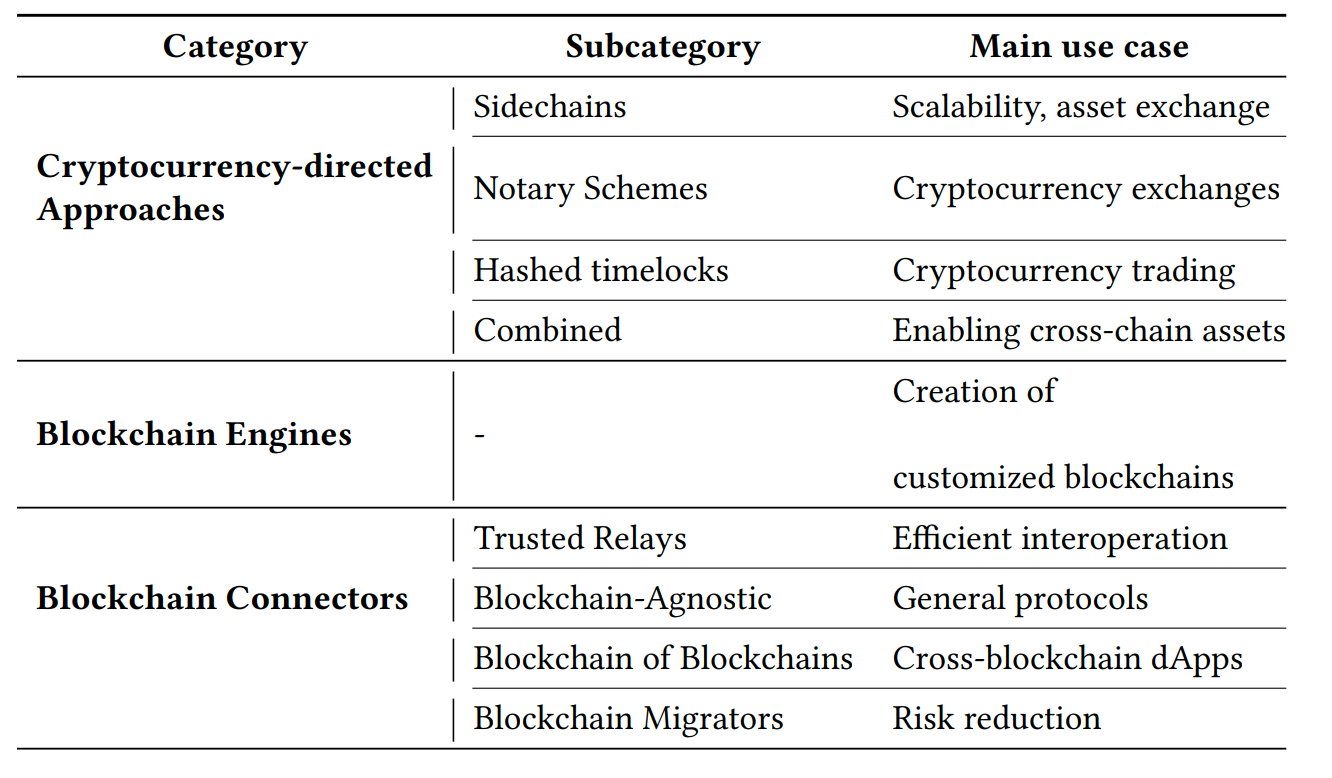
Cryptocurrency-directed interoperability approaches identify and define different strategies for chain interoperability across public blockchains, most of them implementing cryptocurrencies.
Blockchain engines are frameworks that provide reusable data, network, consensus, incentive, and contract layers for the creation of customized blockchains, serving general use-cases. Emerging blockchains are, for example, the Cosmos Network and Polkadot.
The Blockchain Connector category is composed of interoperability solutions that are not cryptocurrency-directed or blockchain engines. Several sub-categories exist: Trusted Relays, Blockchain Agnostic Protocols, Blockchain of Blockchains, and Blockchain Migrators”.
While Hyperledger Cactus has caracteristics from the the three categories, it can be considered a Blockchain Connector (namely a Trusted Relay). In particular, Cactus focuses on providing multiple use case scenarios via a trusted consortium. Trusted relays allow the discovery of the target blockchains, appearing often in a permissioned blockchain environment, where cross-blockchain transactions are routed by trusted escrow parties. Thus, Cactus supports developers at building cross-chain dApps.
Depending on the validator plugin, the trust on the relay can be decentralized, making Cactus a decentralized, general-purpose, trustless relay. The blockchain migrator feature paves the way for building a solution that performs data migration across blockchains.
9. References
1: Heterogeneous System Architecture - Wikipedia, Retrieved at: 11th of December 2019
2: E Scheid and Burkhard Rodrigues, B Stiller. 2019. Toward a policy-based blockchain agnostic framework. 16th IFIP/IEEE International Symposium on Integrated Network Management (IM 2019) (2019)
3: Philipp Frauenthaler, Michael Borkowski, and Stefan Schulte. 2019. A Framework for Blockchain Interoperability and Runtime Selection.
4: H.M.N. Dilum Bandara, Xiwei Xu, and Ingo Weber. 2020. Patterns for blockchain data migration. European Conf. on Pattern Languages of Programs 2020 (EuroPLoP 2020).
5: Belchior, A. Vasconcelos, S. Guerreiro, and M. Correia, “A Surveyon Blockchain Interoperability: Past, Present, and Future Trends,”arXiv,2020. [Online]. Available: http://arxiv.org/abs/2005.14282
10. Recommended Reference
Please use the following BibTex entry to cite this whitepaper:
@article{hyperledgercactus, title={Hyperledger Cactus Whitepaper v0.1}, author={Montgomery, Hart and Borne-Pons, Hugo and Hamilton, Jonathan and Bowman, Mic and Somogyvari, Peter and Fujimoto, Shingo and Takeuchi, Takuma and Kuhrt, Tracy and Belchior, Rafael}, journal={URL: https://github. com/hyperledger/cactus/blob/main/whitepaper/whitepaper. md}, year={2020} }